 Fenestration
 Local Builders
 Builders' Merchants
 Architects & Specifiers
 House Builders
 Main Contractors
 Lead Generation
 Direct Marketing
 Marketing Reports
 Salestracker CRM
 STEM Email Marketing
 Mobile CRM
 Software Features
 Market Overview
 FAQs
FAQs Downloads
 GDPR
GDPR Our History
 Company News
 Careers
 Book a Demo
 Contact Us
Adding Users to the System (User Management)
Please note that this tutorial article only applies to users given advanced manager permissions on Salestracker.
Advanced users can add new users to the system themselves rather than getting them added via the support team if they wish to do so.
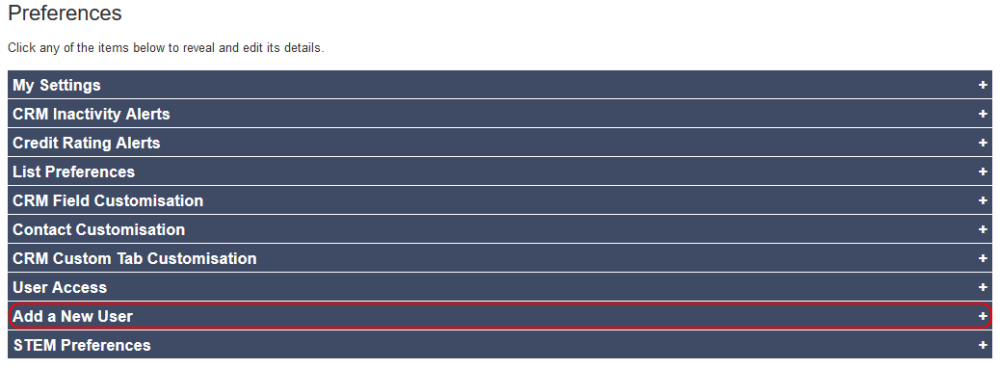
First, go to “Preferences” in the top right of Salestracker and click on it. From the accordion, click on the “Add a New User” heading.
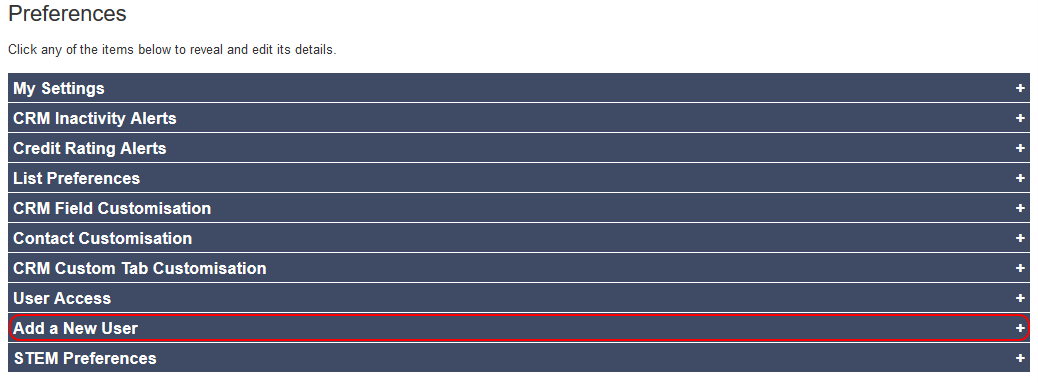
If you have no free user licences available, this tab will inform you and you will need to contact the Insight team in order to up your user licences.
If you have free user licences available, you will be prompted to fill in the user’s details. To learn what each field represents, please refer to the User Access article for a detailed breakdown.
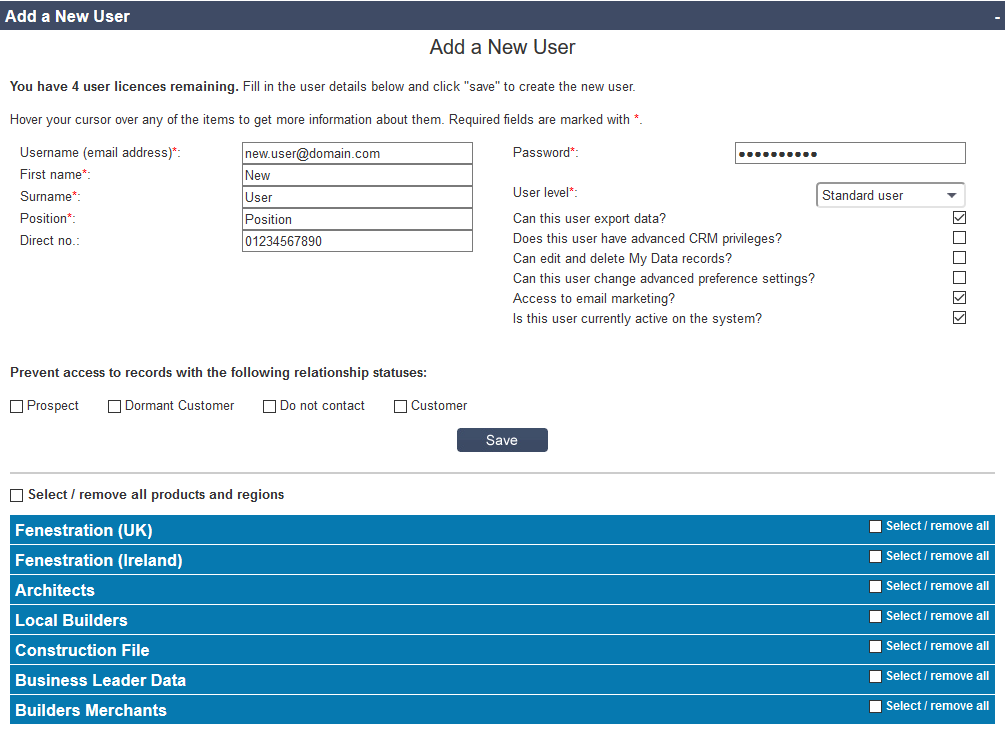
Please note that not ticking any of the database subscription boxes in the rows at the bottom will mean that the user will only be able to see records under “My Data“! The system should prompt you to add a subscription if you haven’t already once you click the “Save” button.
Once you are happy with the user’s details, click the “Save” button.
If you get red error text, rectify the details to match the suggestion posed by the error message and try clicking “Save” again. If the new user is added successfully, the system will tell you so.